
WishNote
Wishes, notes, to-dos and reminders in one quiet, linked notebook.
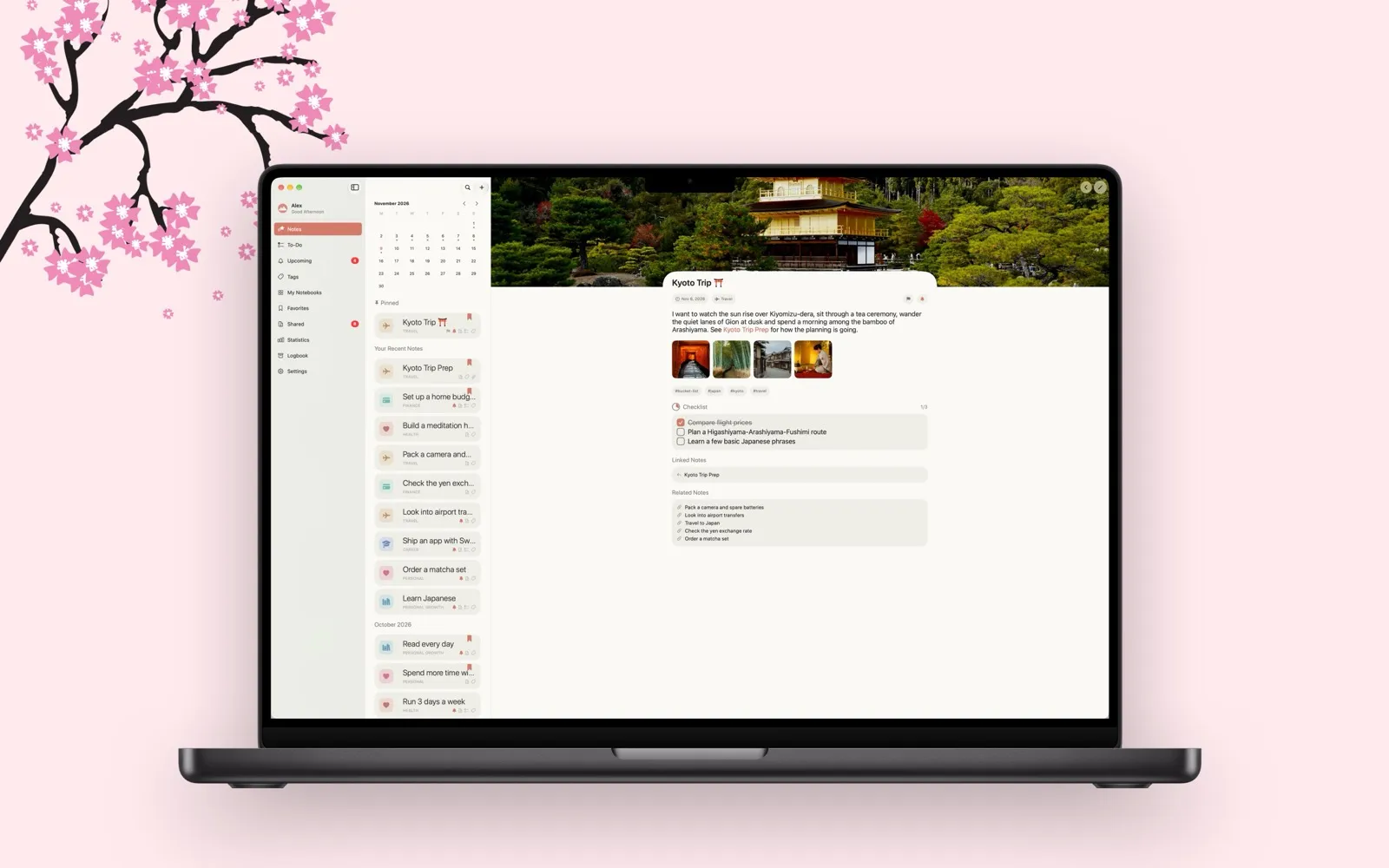
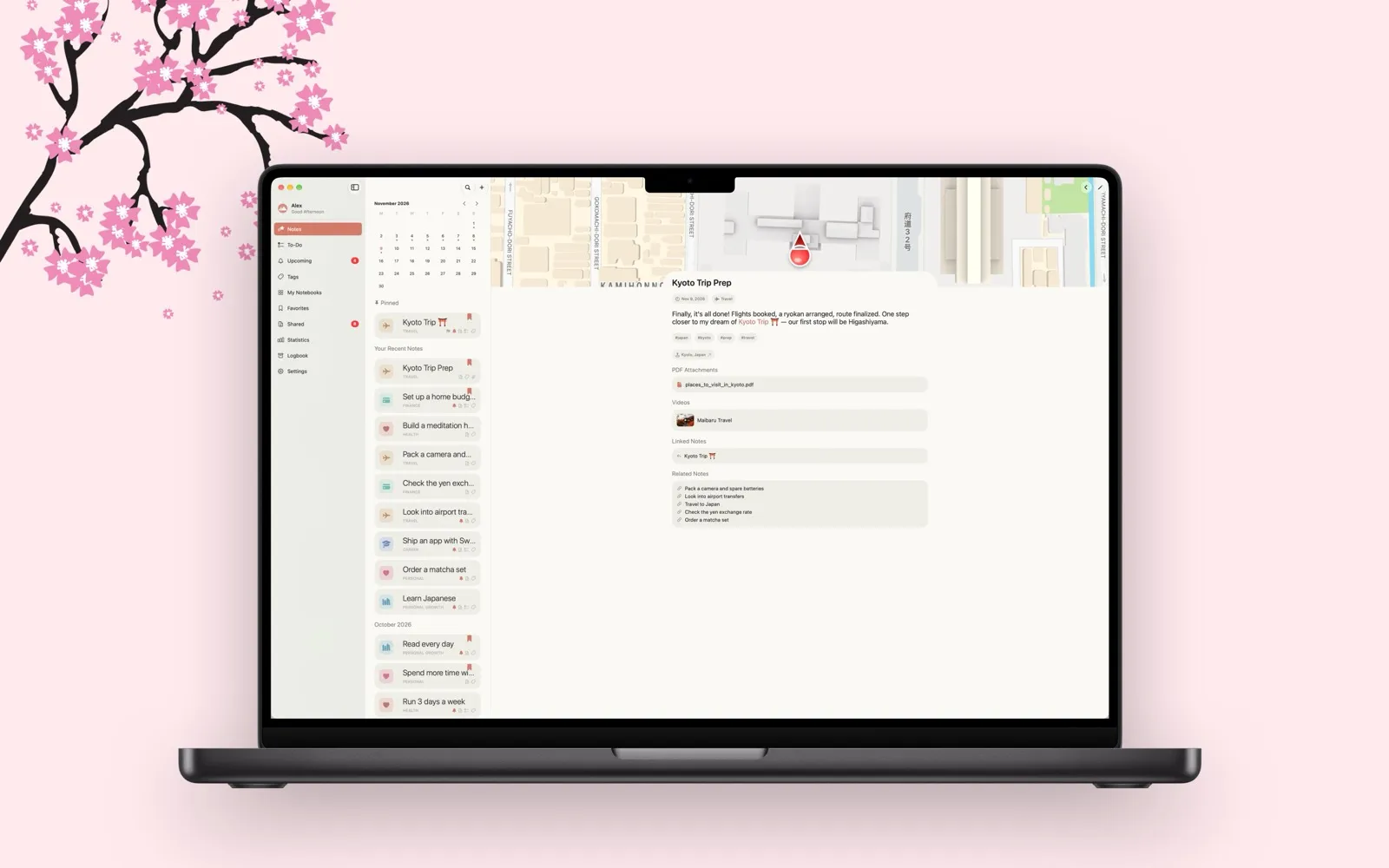


About WishNote
WishNote keeps wishes, goals, everyday notes and a separate to-do list together, with tags, reminders, deadlines, recurring notes and widgets, plus Siri and Shortcuts actions. Notes link to each other with [[Title]] wiki-links, show what links back, and list related notes automatically. The free tier is limited to three notebooks, three photos per note and three dated to-dos; Pro adds iCloud sync between Mac, iPhone and iPad, unlimited notebooks, note lock with Touch ID or a passcode, PDF, location and video attachments, themes, fonts and export, as a one-time purchase or a monthly or yearly subscription. Notes are stored on the device and sync only through your own iCloud; there is no account, and the App Store label says no data is collected. Mac App Store only; needs macOS 26 or later.
Install WishNote
Download it from the links above, or install it from the Terminal:
mas install 6786838837 Mac App Store CLI: This works once your Apple Account has the app. The first time, get it from the Mac App Store.
Questions about WishNote
Is WishNote free?
WishNote is free to download and use, with paid upgrades for extra features. Price: Free; WishNote Pro is $17.99 one-time, or $1.99 a month or $9.99 a year, in-app purchases shared across Mac, iPhone and iPad (US prices).
Where can I download WishNote for Mac?
Download WishNote from the Mac App Store and the developer's website (bulentturudu.tr). MacWorthy links only to official sources.
Can I install WishNote from the Terminal?
Yes. With Mac App Store CLI, run mas install 6786838837. This works once your Apple Account has the app. The first time, get it from the Mac App Store.
Which macOS version does WishNote need?
The Mac App Store version of WishNote requires macOS 26.0 or later.
What are good alternatives to WishNote?
Other productivity apps for Mac worth a look are DropToDo (one-time purchase), Due (one-time purchase), Pastebot (subscription) and Chitroll (one-time purchase).
Other productivity apps like WishNote
DropToDo
Set a reminder by dragging down from the menu bar: the distance is the time.
Due
Reminders that nag until you do the thing.
Pastebot
Clipboard history with filters and saved pastebins.
Chitroll
A to-do list on a paper roll you tear off.

Unrich
A plain-text scratchpad between apps that shows exactly what a paste cleanup removed.
DeskMinder
Quick desktop reminders with full-screen alerts that are hard to miss.

GoodTask
A task planner built on top of Apple Reminders and Calendar.

Things 3
The task manager that feels like paper, only smarter.