
DropToDo
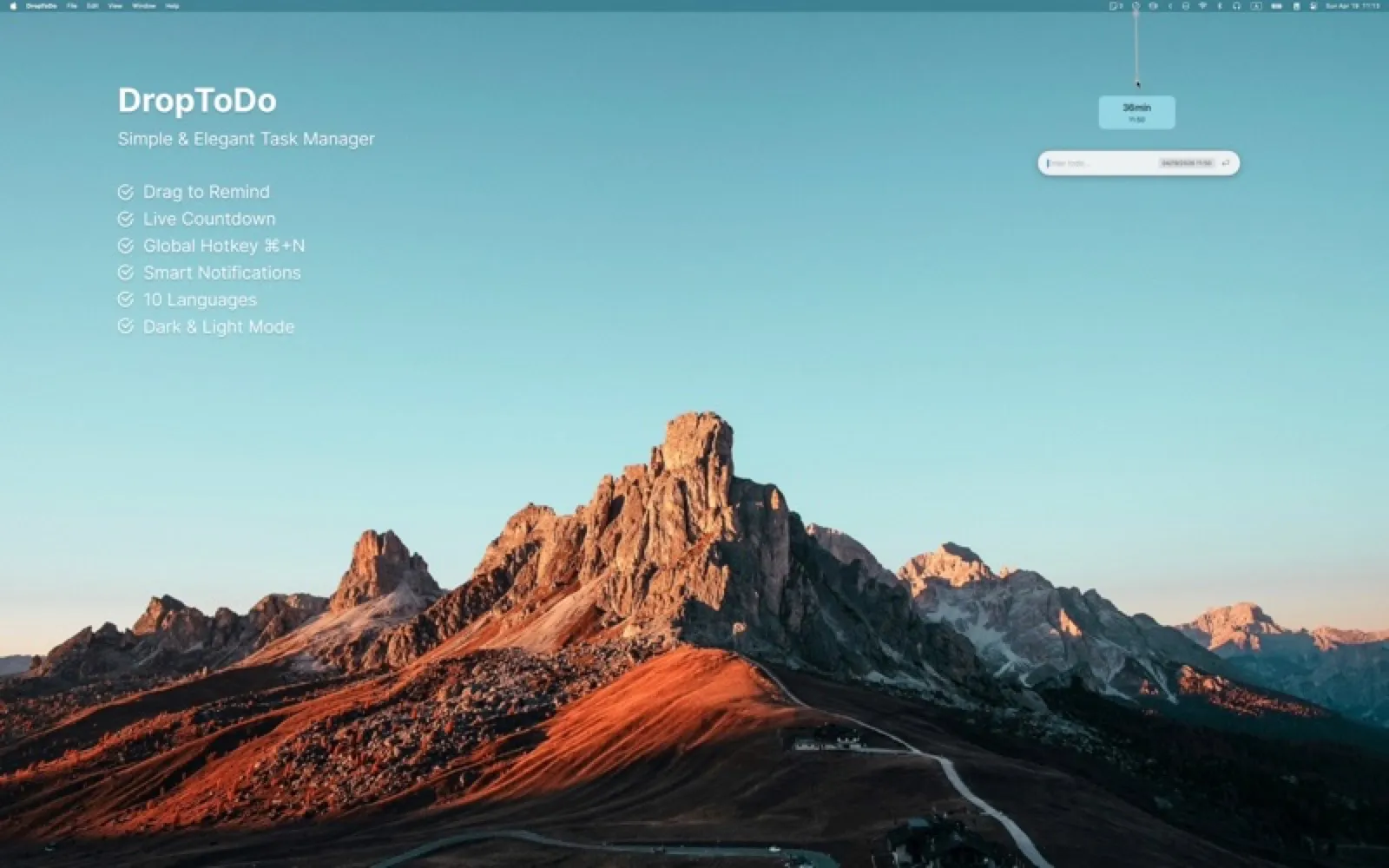
Set a reminder by dragging down from the menu bar: the distance is the time.
About DropToDo
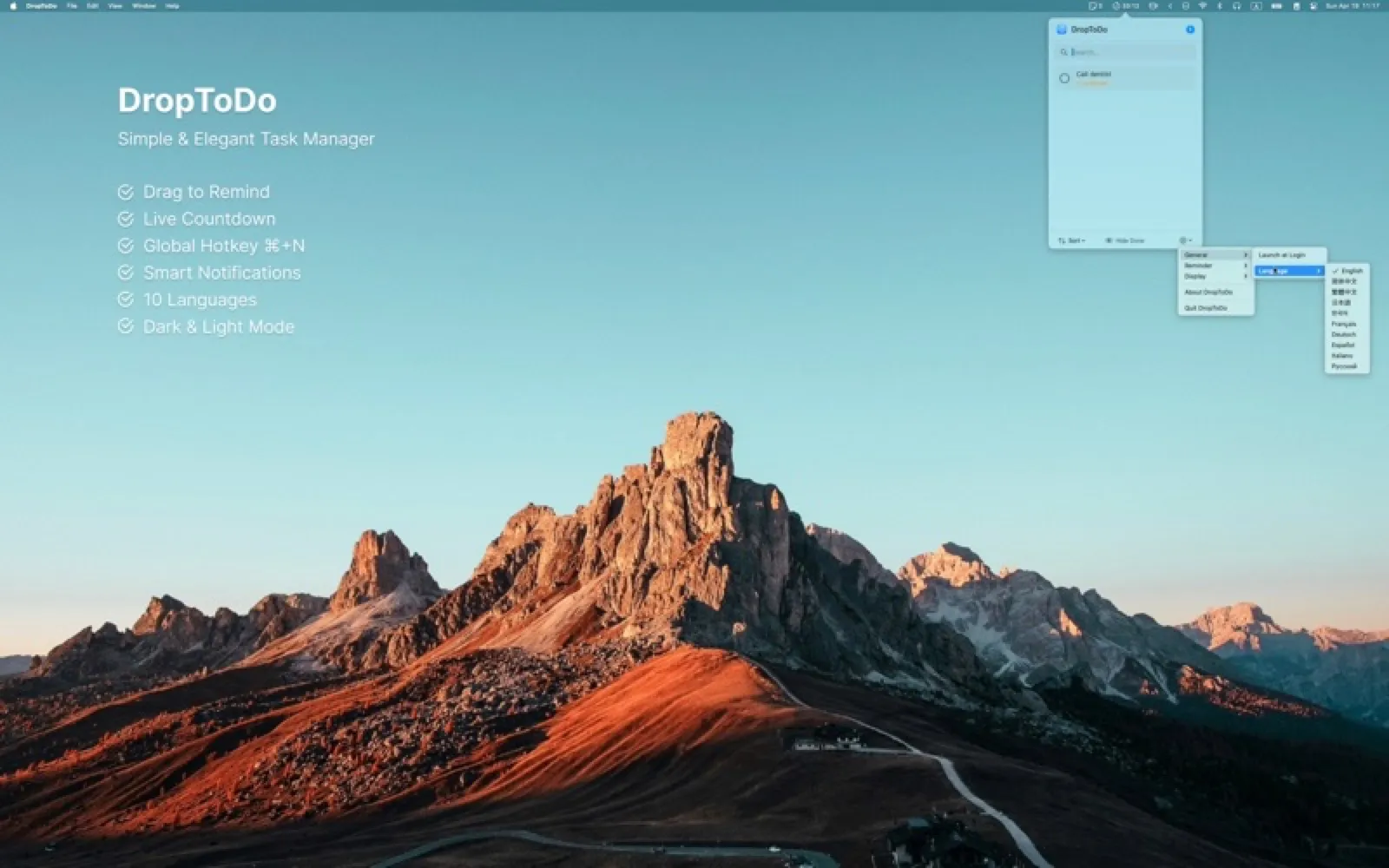
DropToDo sets a timed reminder when you press its menu bar icon and drag down: the farther you drag, the later the reminder, from one minute up to seven days, shown on a glowing guide line and a frosted-glass time card. Let go, type the task and press Enter; ⌘N opens the same quick input from anywhere. Reminders arrive as system notifications with optional advance alerts and an overdue summary, and clicking the icon lists your tasks with search, sorting and one-click completion, with a live countdown in the menu bar. It has light and dark themes, an optional Dock badge and 10 languages. No account and, per its App Store label, no data collected. Mac App Store only, with Family Sharing; needs macOS 14 or later.
Install DropToDo
Download it from the links above, or install it from the Terminal:
mas install 6762462645 Mac App Store CLI: This works once your Apple Account has the app. The first time, get it from the Mac App Store.
Questions about DropToDo
How much does DropToDo cost?
DropToDo: $4.99 one-time (US price, Mac App Store).
Where can I download DropToDo for Mac?
Download DropToDo from the Mac App Store and the developer's website (droptodo.app). MacWorthy links only to official sources.
Can I install DropToDo from the Terminal?
Yes. With Mac App Store CLI, run mas install 6762462645. This works once your Apple Account has the app. The first time, get it from the Mac App Store.
Which macOS version does DropToDo need?
The Mac App Store version of DropToDo requires macOS 14.0 or later.
What are good alternatives to DropToDo?
Other productivity apps for Mac worth a look are DeskMinder (free + pro), WishNote (free + pro), TimeGo Clock (one-time purchase) and Fadeclock (free + pro).
Other productivity apps like DropToDo
DeskMinder
Quick desktop reminders with full-screen alerts that are hard to miss.

WishNote
Wishes, notes, to-dos and reminders in one quiet, linked notebook.
TimeGo Clock
A tiny menu bar countdown timer with chained timers and a floating HUD.

Fadeclock
A slide-friendly timer that shows when an activity ends, with music that fades out before time's up.

Blinkivo
A menu bar eye-break timer that can pause for, or run only with, the apps you choose.
Fantastical
A calendar that understands plain sentences.

Cardhop
Contacts, rebuilt around a single search field.

Dato
The menu bar clock macOS should have had.