
Slothify
A menu bar countdown to your next meeting that frosts the screen when it's time to go.
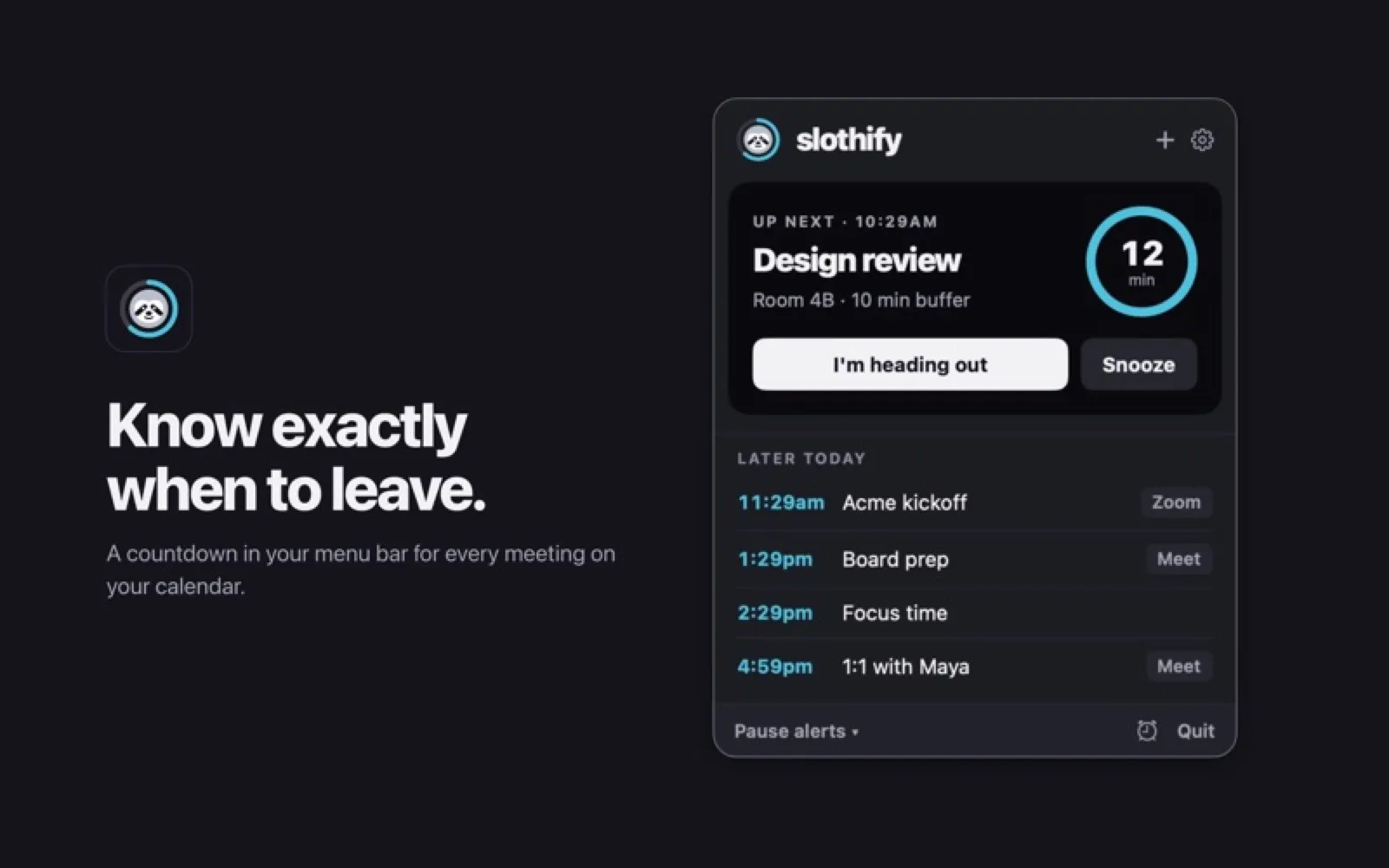

About Slothify
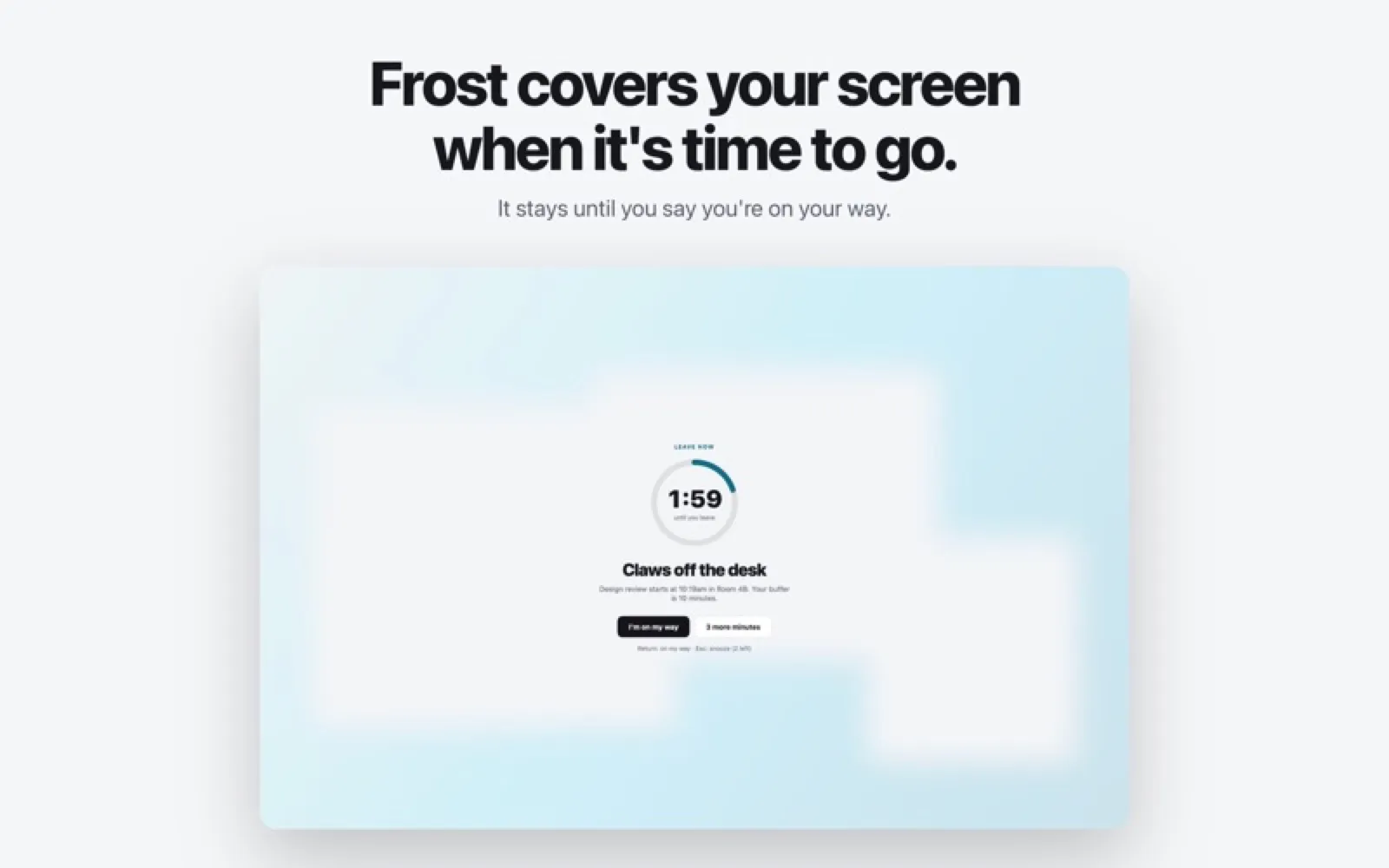
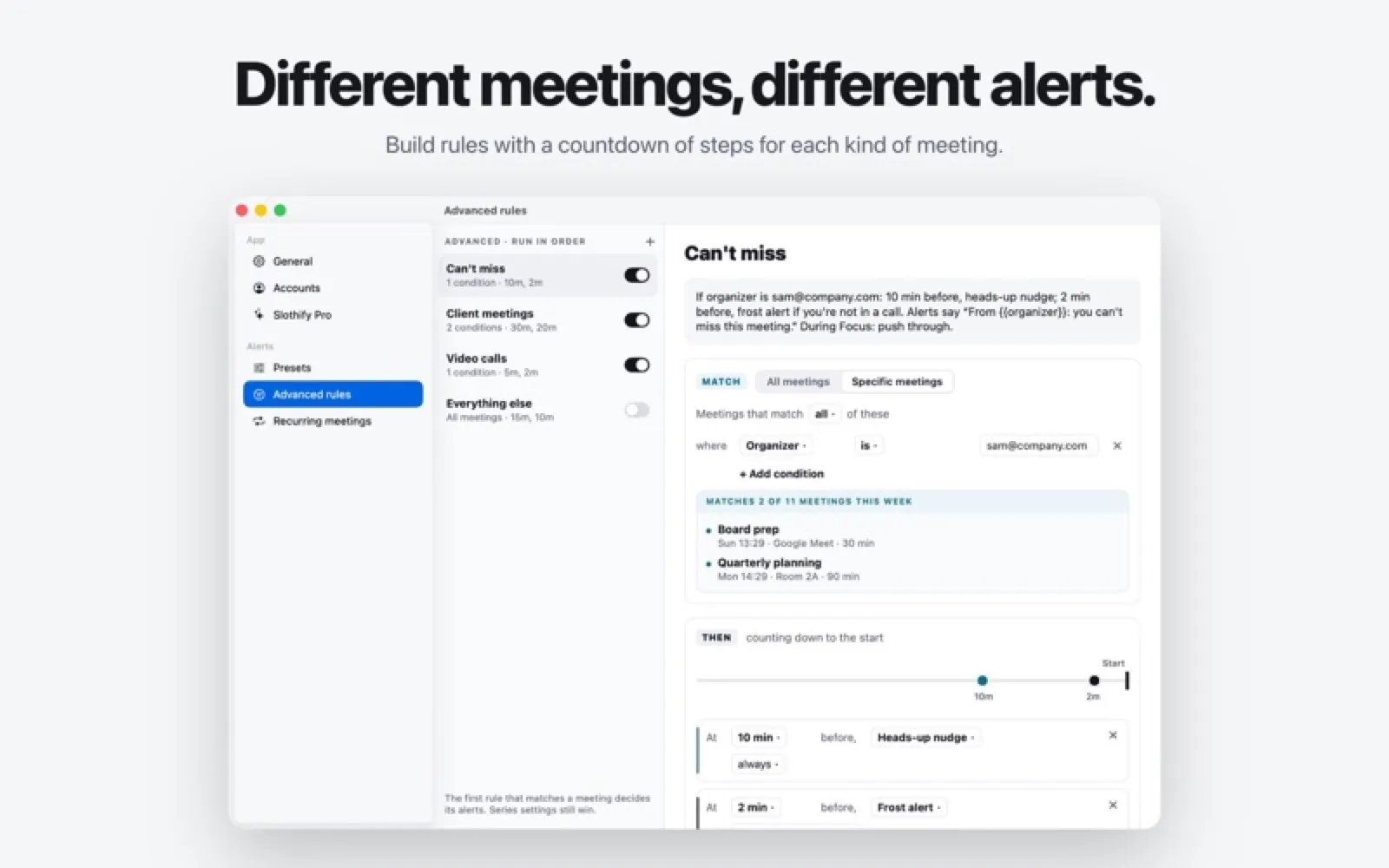
Slothify reads the calendars in the Calendar app, counts down to your next meeting in the menu bar, and at leave time covers every display with frost and one choice: on your way, or a few more minutes, with as many snoozes as you allow. It finds Zoom, Meet, Teams and other call links in invites for one-click joining, and while a Focus is on it can push through, show only the frost, or stay quiet. The free version frosts 10 minutes before in-person meetings and 2 minutes before video calls; Pro adds presets, rules by attendees, title, location, length or calendar, per-series settings, spoken alerts and a Do Not Disturb step that runs a Shortcut you make. To hold alerts during a call it checks only whether a microphone is in use, without microphone access. No account and no analytics, and the App Store label says no data is collected; the direct version checks the developer's site for updates and checks its Pro license with Polar along with the Mac's name. Needs macOS 14 or later.
Install Slothify
Download it from the links above, or install it from the Terminal:
mas install 6819903716 Mac App Store CLI: This works once your Apple Account has the app. The first time, get it from the Mac App Store.
Questions about Slothify
Is Slothify free?
Slothify is free to download and use, with paid upgrades for extra features. Price: Free; Pro is $2.99 once direct, or $3.99 on the Mac App Store.
Where can I download Slothify for Mac?
Download Slothify from the Mac App Store and the developer's website (deschutech.com). MacWorthy links only to official sources.
Can I install Slothify from the Terminal?
Yes. With Mac App Store CLI, run mas install 6819903716. This works once your Apple Account has the app. The first time, get it from the Mac App Store.
Which macOS version does Slothify need?
The Mac App Store version of Slothify requires macOS 14.0 or later.
What are good alternatives to Slothify?
Other productivity apps for Mac worth a look are Final Call (one-time purchase), Fantastical (subscription), Dato (one-time purchase) and Clocker (free).
Other productivity apps like Slothify

Final Call
A full-screen countdown before every meeting.
Fantastical
A calendar that understands plain sentences.

Dato
The menu bar clock macOS should have had.
Clocker
World clocks and meetings in the menu bar.
BusyCal
A deeply configurable calendar for busy schedules.

Itsycal
A tiny calendar that lives in the menu bar.

PeekTheDay
Your day as a thin line under the menu bar; drag a gap to block time.

Cardhop
Contacts, rebuilt around a single search field.