MemoryString
Turns hundreds of photos and videos into a slideshow movie with music and captions.
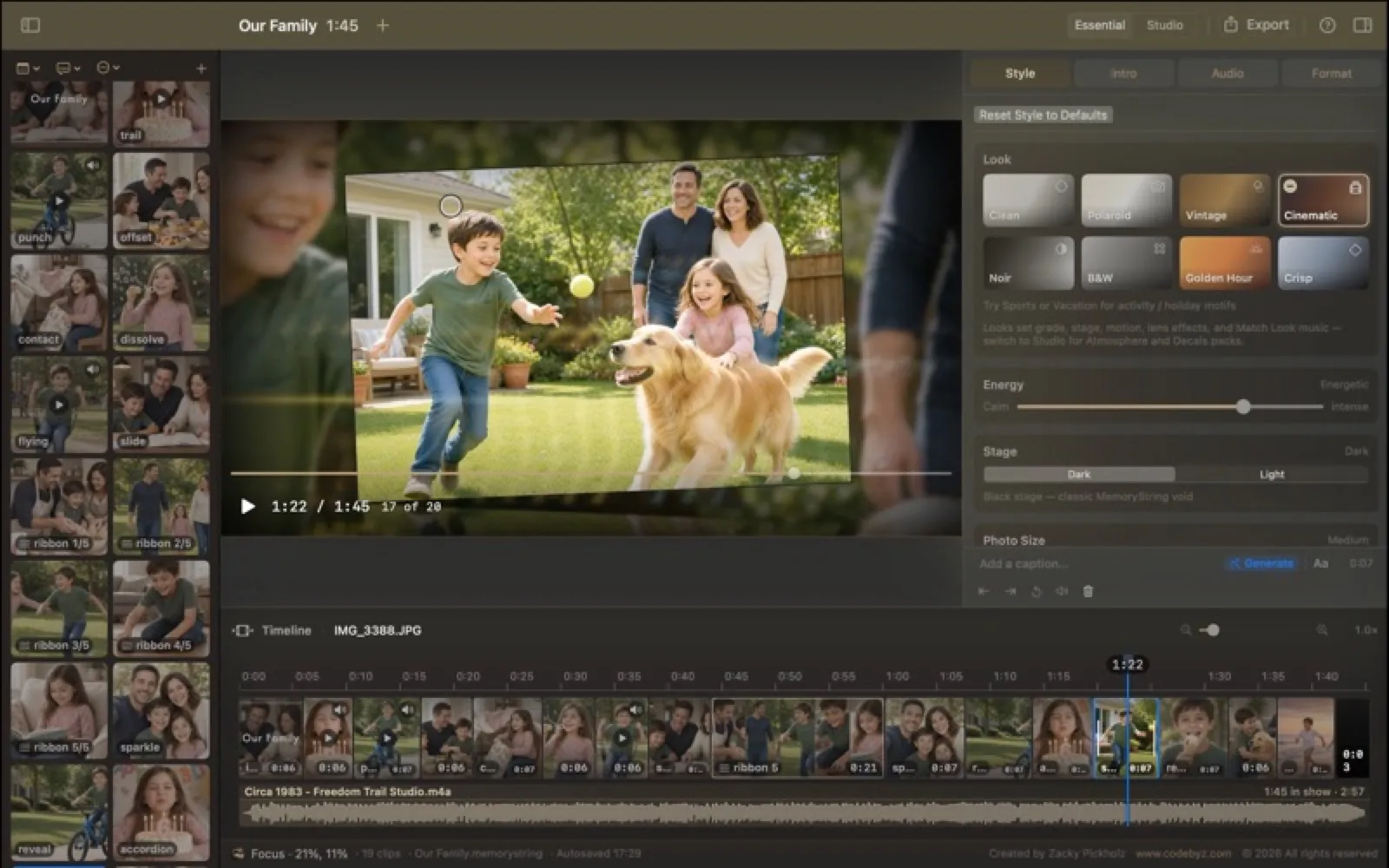
About MemoryString
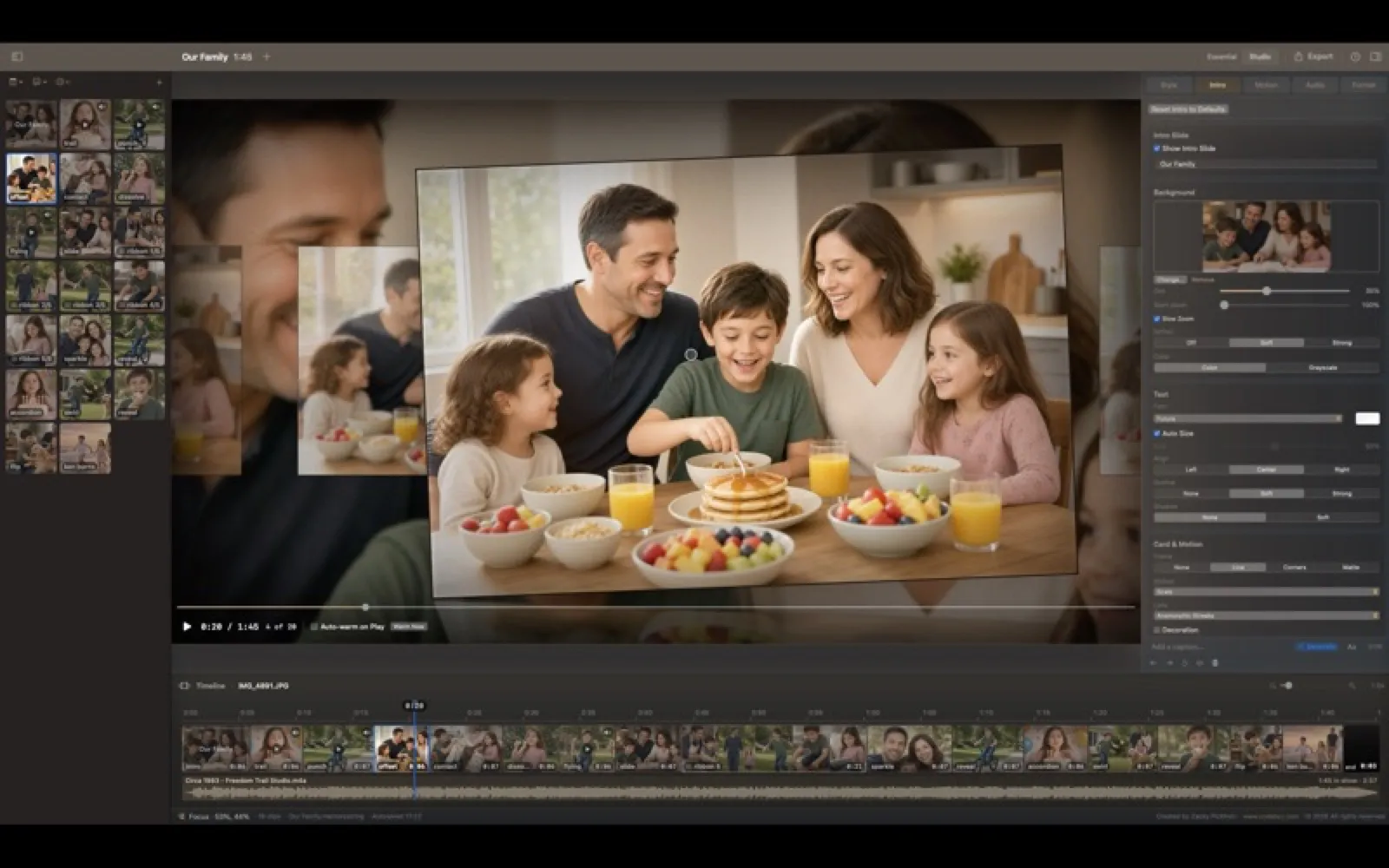
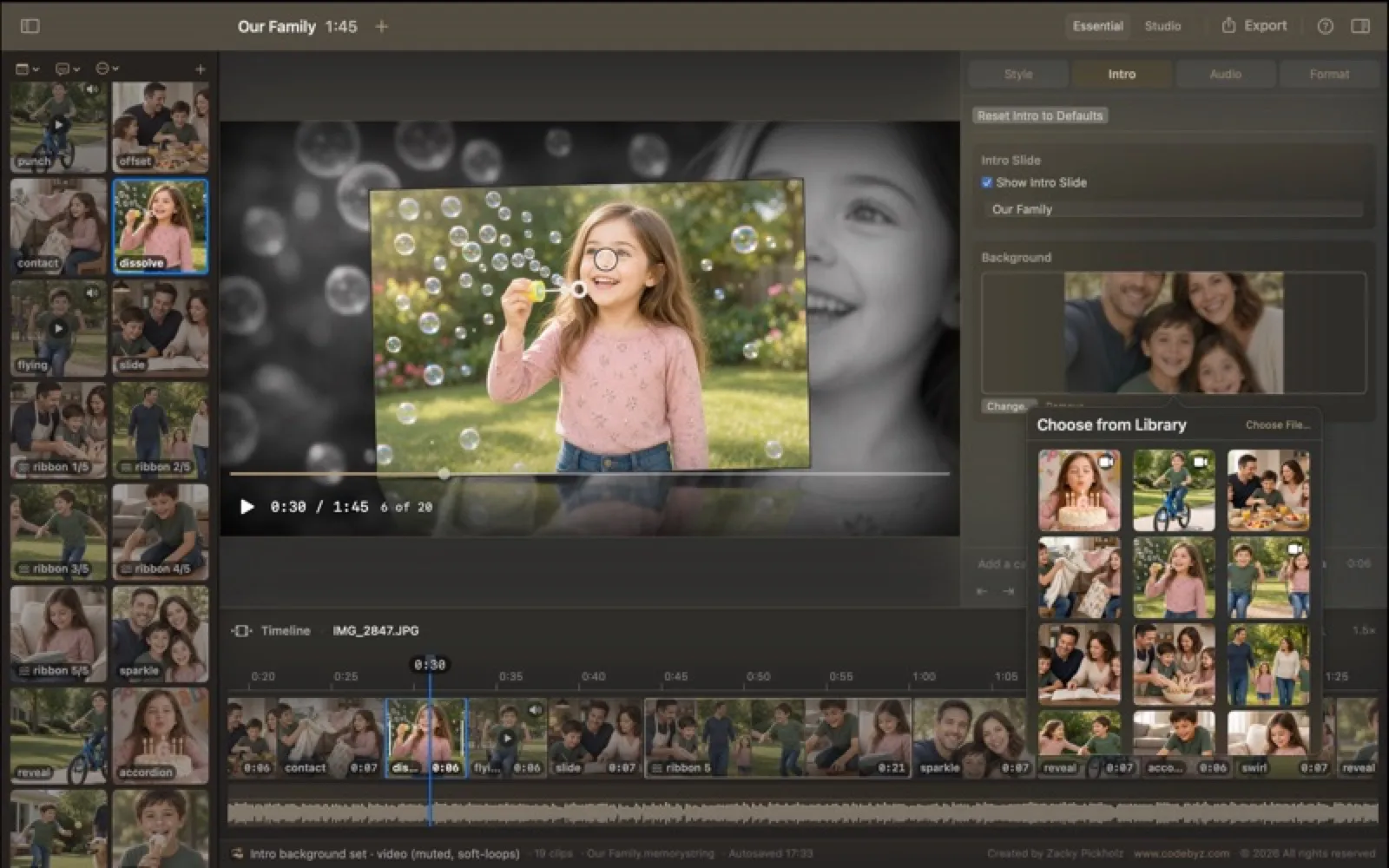
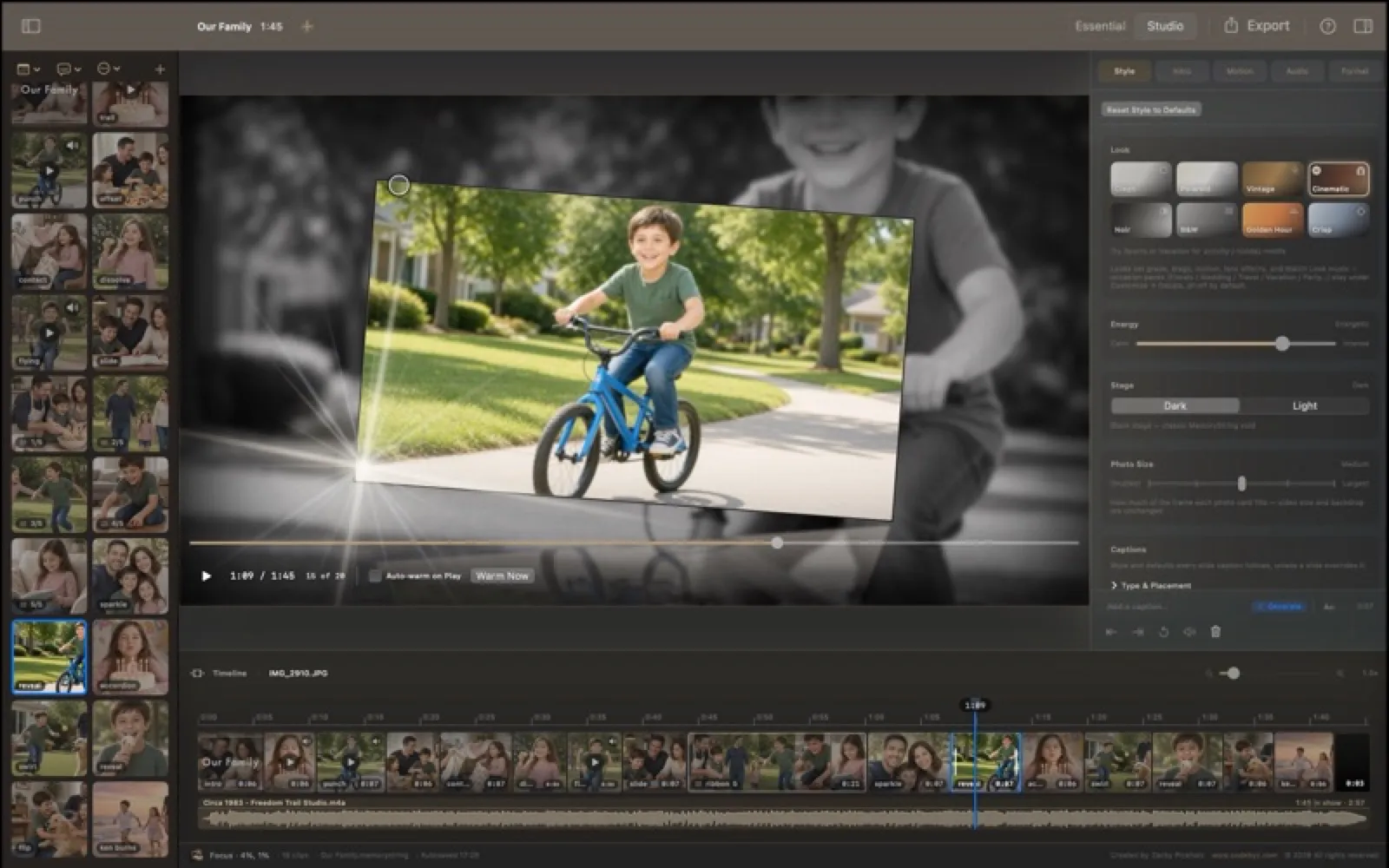
MemoryString builds a slideshow movie from photos and videos on your Mac or in Photos. Long story short cuts a whole album down to a length you pick, from 1 to 30 minutes, keeping the sharpest shot of each burst, dropping near-duplicates and shortening long clips, and Auto Caption labels photos with the place and date from their own metadata. Eight Looks set the color grade, fonts and titles, a timeline handles order, trims and transitions, and the soundtrack comes from your own music or a built-in library of 50 CC0 public-domain tracks that Fit Show to Music stretches over the whole film. Movies export as H.264 MP4 or as a silent screensaver, and each ends with a short Created with MemoryString credit. Everything renders on the Mac with no account; a Share Crash Reports setting sends crash reports to Sentry, and an optional MCP server, off by default, lets tools you run talk to the app over localhost. Free on the Mac App Store and as a notarized direct download; universal, needs macOS 14 or later.
Install MemoryString
Download it from the links above, or install it from the Terminal:
mas install 6806579257 Mac App Store CLI: This works once your Apple Account has the app. The first time, get it from the Mac App Store.
Questions about MemoryString
Is MemoryString free?
Yes. MemoryString is free to download and use.
Where can I download MemoryString for Mac?
Download MemoryString from the Mac App Store and the developer's website (memorystring.app). MacWorthy links only to official sources.
Can I install MemoryString from the Terminal?
Yes. With Mac App Store CLI, run mas install 6806579257. This works once your Apple Account has the app. The first time, get it from the Mac App Store.
Which macOS version does MemoryString need?
The Mac App Store version of MemoryString requires macOS 14.0 or later.
What are good alternatives to MemoryString?
Other video & capture apps for Mac worth a look are Downie (one-time purchase), HandBrake (open source), ShotMap (open source) and Beavery (free + pro).
Other video & capture apps like MemoryString

Downie
Download video from almost anywhere.

HandBrake
Convert almost any video into a format your devices can play.

ShotMap
Turns a video into one storyboard image you can take in at a glance.

Beavery
Turn videos into Live Photos, GIFs and stills on the Mac.
CleanShot X
The screenshot tool that does everything.

IINA
The modern media player for macOS.

Make It a Video
Screen recorder and editor that cuts the ums and lets you edit by deleting words.
Window Capture
A small screen recorder for a window, a region or a display, with Mac audio.