
TiltCue
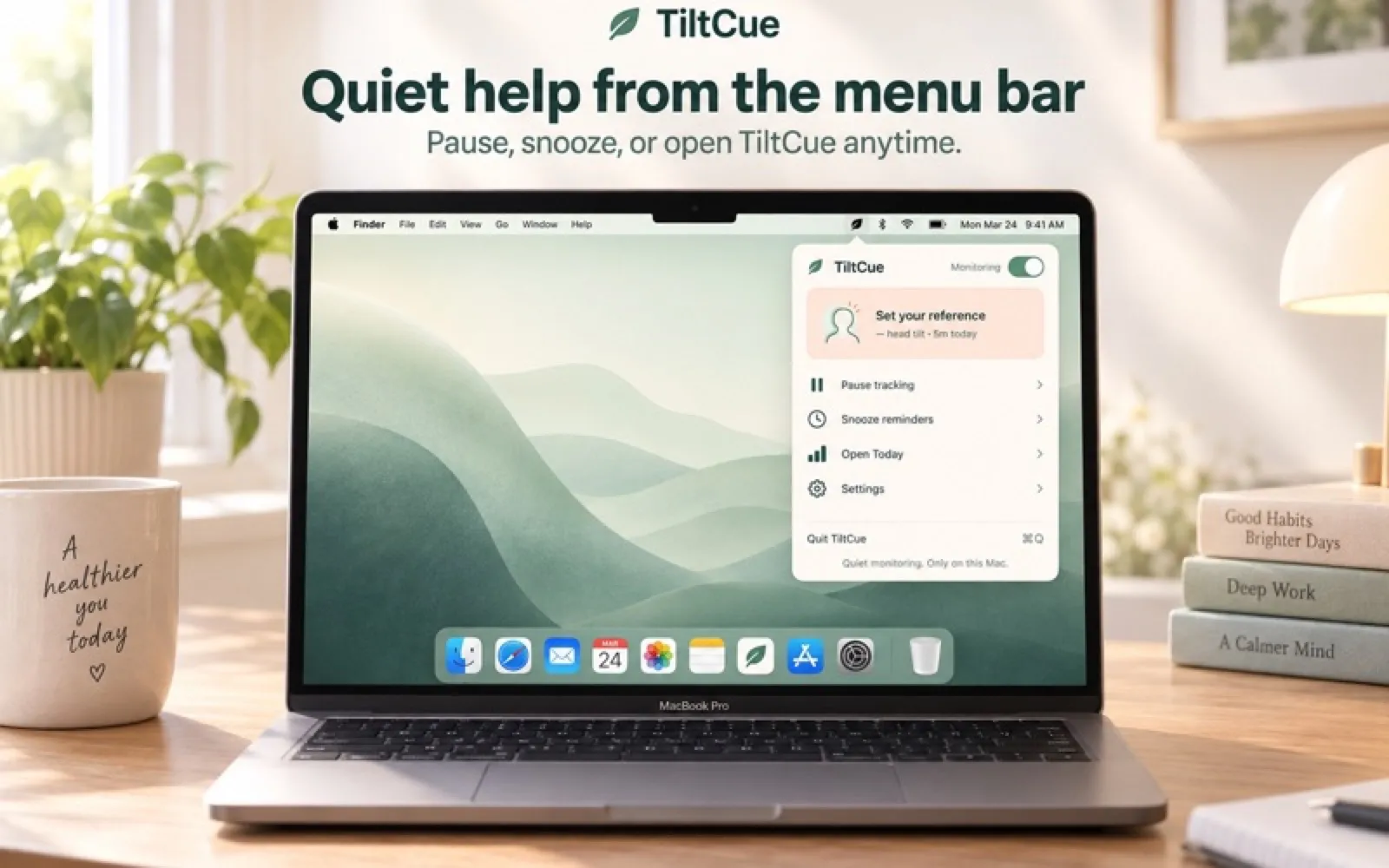
A gentle cue when your head stays tilted, from your headphones' motion sensors.



About TiltCue
TiltCue sits in the menu bar and reads head motion from compatible headphones, such as supported AirPods, to notice when your head stays tilted away from a reference you set. After a delay you choose, from 5 to 120 seconds, it gives a soft screen glow, a system banner or a sound, with pause, snooze and quiet hours. A weekly view shows measured time and reminders, and history stays on the Mac for 90 days with CSV export. It is an awareness tool, not a medical device. No account and no camera or microphone, and its App Store label says no data is collected. Needs macOS 14 or later on Apple silicon and headphones that give macOS motion data.
Install TiltCue
Download it from the links above, or install it from the Terminal:
mas install 6814013161 Mac App Store CLI: This works once your Apple Account has the app. The first time, get it from the Mac App Store.
Questions about TiltCue
How much does TiltCue cost?
TiltCue costs $12.99 as a one-time purchase on the Mac App Store.
Where can I download TiltCue for Mac?
Download TiltCue from the Mac App Store and the developer's website (valorem.ing). MacWorthy links only to official sources.
Can I install TiltCue from the Terminal?
Yes. With Mac App Store CLI, run mas install 6814013161. This works once your Apple Account has the app. The first time, get it from the Mac App Store.
Which macOS version does TiltCue need?
The Mac App Store version of TiltCue requires macOS 14.0 or later.
What are good alternatives to TiltCue?
Other utilities apps for Mac worth a look are Mac Ninja (one-time purchase), Bartender 6 (one-time purchase), Ice (open source) and iStat Menus (one-time purchase).
Other utilities apps like TiltCue

Mac Ninja
Unloads idle browser tabs and slows background CPU hogs, without closing anything.

Bartender 6
Organize and hide menu bar icons.

Ice
A powerful, free menu bar manager.

iStat Menus
Your Mac's vital signs, in the menu bar.

Amphetamine
Keep your Mac awake, on your terms.

Klack
Mechanical keyboard sounds for every keystroke.

MacTools
A bundle of system controls in one menu bar item.
MonitorControl
Brightness and volume keys for external displays.